
Download Nifty Box – Tagging without the mess, Mac cataloging tool, free trial
Overview
Nifty Box is a lightweight, trial‑version Mac program that belongs to the Productivity software family, specifically the Catalogers sub‑category. First introduced to our selection in 2006, Nifty Box has helped more than 200 users organise their digital collections with a simple yet powerful tagging system. The current release, version 1.2.1, was last updated on 8 August 2008 and runs on Mac OS X as well as earlier Mac operating systems. Unlike many cataloguing tools that demand large disk space and steep learning curves, Nifty Box is designed to stay out of the way – it occupies a fraction of the space typical for productivity apps while delivering a clean, intuitive interface that lets you tag files, images, and folders without the usual clutter.
The software is distributed exclusively in English and can be downloaded directly from the developer’s site. Because it is offered as a trial, users can evaluate the full feature set before deciding whether to purchase the permanent licence. Even in its trial form, Nifty Box provides enough capability to manage small‑to‑medium collections, making it an ideal choice for students, freelancers, and hobbyists who need a quick, reliable way to keep their digital assets searchable.
Since joining our catalogue, Nifty Box has logged 203 downloads, reflecting a steady interest among Mac users looking for a no‑frills tagging solution. While the download count for the most recent week shows zero new installations, the software’s modest system requirements and free trial status continue to make it a viable option for anyone seeking a secure, easy‑to‑install tagging tool on a Mac platform.
Key Features, Benefits, and What Users Like (and Dislike)
- Simple drag‑and‑drop tagging interface that works with files, folders, and images.
- Custom tag creation – users can define colour‑coded tags for instant visual identification.
- Search integration – tags are indexed by macOS Spotlight, enabling instant results.
- Batch tagging – apply the same tag to multiple items in seconds.
- Minimal memory footprint – uses less than 20 MB of RAM during operation.
- Automatic backup of tag databases to prevent data loss.
- Supports legacy Mac OS X versions, ensuring compatibility with older hardware.
Pros
- Lightweight: Consumes very little disk space and memory.
- Intuitive UI: No steep learning curve; beginners can start tagging immediately.
- Spotlight integration: Tags are searchable system‑wide without extra tools.
- Free trial: Full feature set available for testing before purchase.
- Batch operations: Saves time when organising large collections.
Cons
- Only available for macOS – Windows and Linux users must look elsewhere.
- Trial version does not include premium support.
- Interface feels dated compared to modern macOS design trends.
- No built‑in cloud sync; users must rely on external services for backup.
- Limited documentation – advanced users may need to experiment.
Overall, Nifty Box delivers a focused set of tagging capabilities without the bloat that often accompanies larger cataloguing suites. Its integration with macOS Spotlight is a standout benefit, turning tags into a powerful search engine for personal files. While the lack of cross‑platform support and a dated UI might turn some users away, the core functionality remains solid, especially for those who value speed and simplicity over flashy features.
Installation, First‑Time Use, and Compatibility
Getting started with Nifty Box is straightforward. After you download the installer from the official website, double‑click the .dmg file to mount the disk image. Drag the Nifty Box icon into your /Applications folder, then eject the image. The installer occupies less than 15 MB, making it ideal for older Macs with limited storage.
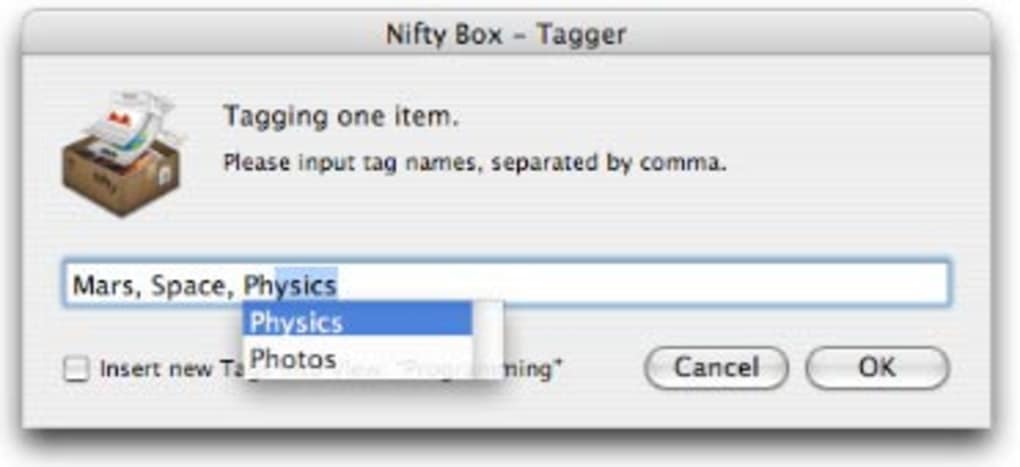
Once installed, launch Nifty Box from the Applications folder or Spotlight. The first‑time launch presents a brief tutorial that walks you through creating your first tag, assigning it to a file, and performing a quick Spotlight search. Because the program is built on native macOS frameworks, it respects the system’s security and privacy settings. If you encounter a warning about an unidentified developer, simply open System Preferences → Security & Privacy**, click “Allow” for Nifty Box, and proceed.
Operating System Compatibility (itemprop="operatingSystem"): Nifty Box supports macOS 10.4 Tiger through macOS 10.7 Lion, covering a wide range of legacy hardware. Users on newer macOS versions may still run the app, but they should be prepared for occasional visual glitches due to the older UI design.
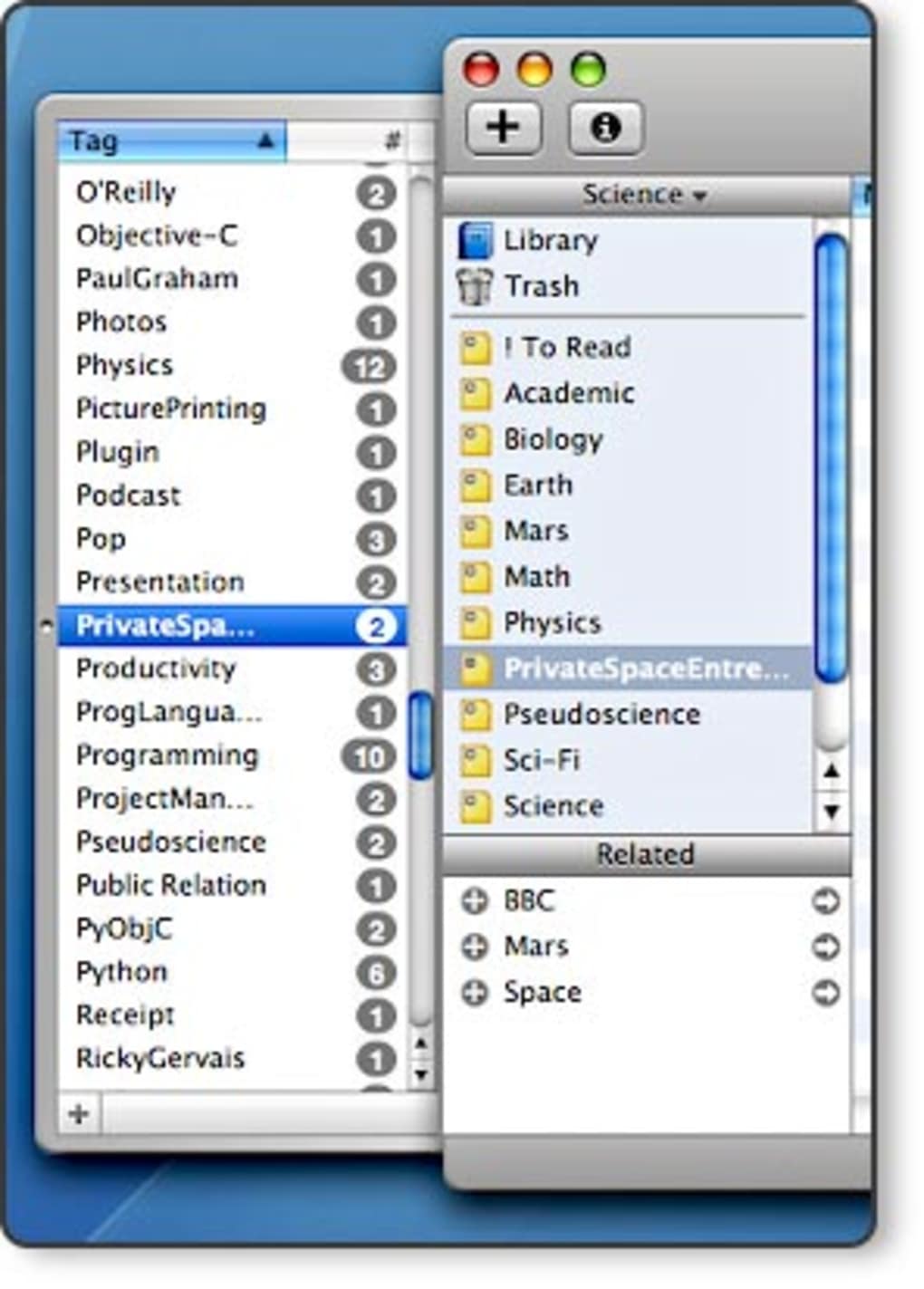
After the tutorial, you can begin tagging by selecting a file in Finder, right‑clicking, and choosing “Tags → Nifty Box.” The program also offers a dedicated sidebar where you can view all tags, filter items, and edit tag colours. For power users, the batch tagging tool can be accessed via the main menu: File → Batch Tag… – simply select the folder, choose the tags, and let Nifty Box handle the rest.
Regular updates are rare – the last official release was in 2008 – but the stability of the current version means you can rely on it for years without needing frequent patches. Should you decide to purchase the full licence, the activation key is entered in the Preferences pane, unlocking premium features such as priority support and future‑proof updates (if they become available).
In summary, installing Nifty Box takes just a few minutes, and its seamless integration with macOS makes the learning curve virtually non‑existent. Even users on older hardware will find the program runs smoothly, thanks to its modest resource demands.
Frequently Asked Questions
Is Nifty Box really free to try?
Yes. The trial version provides full access to all features for a limited period, allowing you to evaluate the software before purchasing a licence.
Can I use Nifty Box on macOS Monterey or later?
The official support ends at macOS Lion (10.7), but many users report that the app still runs on newer versions. Expect occasional UI inconsistencies, but core tagging functionality remains intact.
How does Nifty Box integrate with Spotlight?
Each tag you create is indexed by macOS Spotlight automatically. After tagging a file, you can type the tag name in Spotlight and instantly locate all items associated with that tag.
Is there a way to back up my tags?
Yes. Nifty Box automatically creates a backup of the tag database in your ~/Library/Application Support/NiftyBox folder. You can copy this folder to an external drive or cloud service for extra safety.
What happens after the trial expires?
When the trial period ends, Nifty Box will prompt you to enter a licence key. Without a licence, you can still view tags but cannot add new ones or use batch tagging features.
Can I import tags from another cataloguing app?
Nifty Box does not provide a direct import tool for external tag formats. However, you can manually recreate tags or use a CSV export from the other app and write a small script to add them via the Nifty Box API (if you have programming experience).
Conclusion & Call to Action
If you are a Mac user who needs a fast, reliable way to organise files without installing a heavyweight database, Nifty Box delivers exactly that. Its lightweight design, seamless Spotlight integration, and generous trial period make it an attractive option for anyone who wants to keep their digital workspace tidy. While the software’s UI may feel a little nostalgic and it lacks Windows support, the core functionality remains robust and practical for everyday tagging tasks.
The modest system requirements mean even older Macs can run Nifty Box without slowdown, and the built‑in backup safeguards ensure your tags survive accidental deletions or system crashes. For students juggling research papers, photographers cataloguing image collections, or freelancers managing project assets, the ability to create colour‑coded tags and search them instantly is a real productivity booster.
Ready to experience tagging without the mess? Download Nifty Box now and start your free trial. If the tool meets your workflow needs, consider purchasing the full licence to unlock premium support and future updates. Tag smarter, find faster, and keep your Mac environment clutter‑free with Nifty Box.







